
Use the widget builder below to create your free Cookie Consent widget. Select a template and click “Continue with this template” to get started.
How to use the Cookie Consent widget Builder
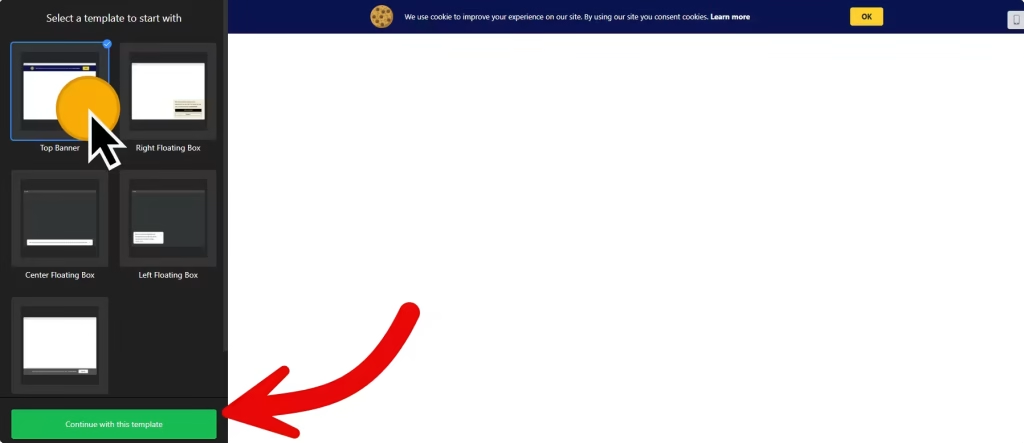
- Choose a template (You can customize it later).
- Customize the cookie banner widget by choosing a layout, adding a link to your cookie policy page, and changing the widget’s appearance.
- Once you have finished designing the website cookie bar widget, click on the “Add to website for free” button and sign up on the following page to save your widget.
- Get the embed code and use it on your website.
Cookie Consent Widget’s embed code
Paste the embed code before the closing body tag (</body>) on your website’s template, theme, or HTML source code editor in places where you want to display the cookie consent widget.
How to Manage Your Cookie Consent Widgets
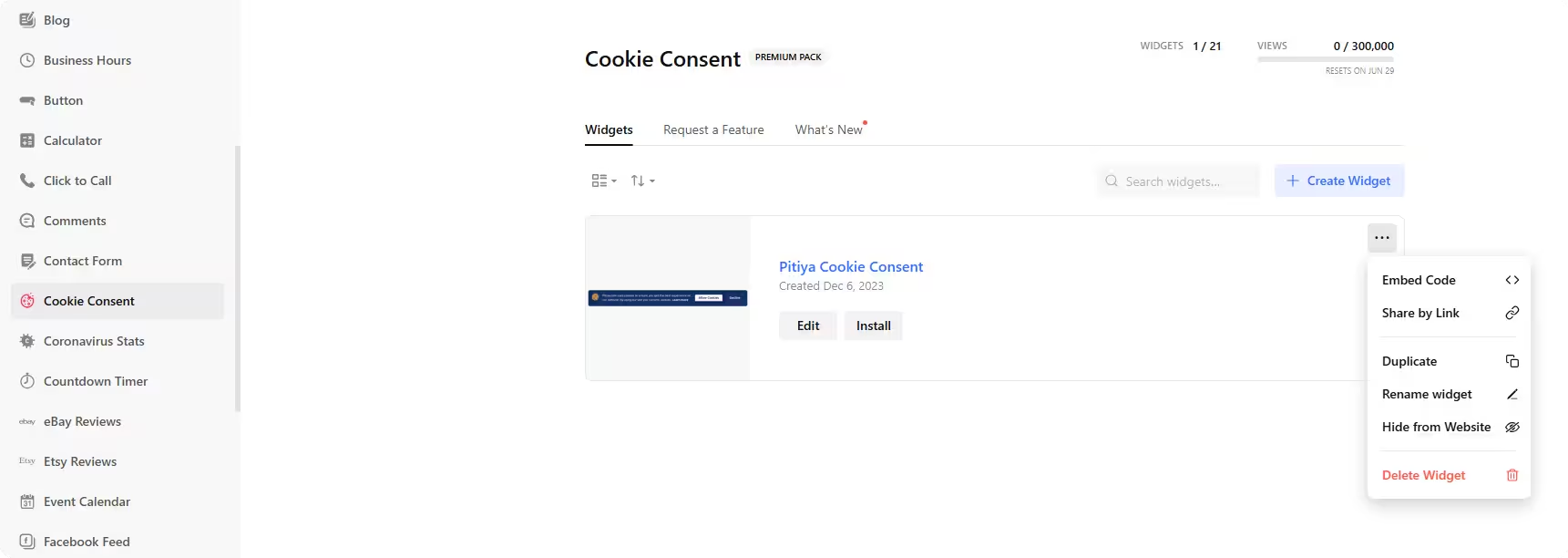
Once you have created your cookie consent bar for your websites, you can easily manage it on your account. In your dashboard, search for the “Cookie Consent” app under the list of apps. As you can see from the following screenshot, you can create more cookie consent widgets, edit existing ones, and get HTML embed code.
More website tools
- Accessibility widget
A toolbar with reading and display options - Website Translator widget
A language switcher for your site - Age Verification widget
An age check before entry - Back to Top widget
A button that scrolls to the top - Search widget
A search bar for your website - QR Code widget
QR codes that link to any page