
Use the widget builder below to create your Back to Top Button widget for free. Select a template and click the “Continue with this template” button to get started.
How to use the Back to Top Widget builder
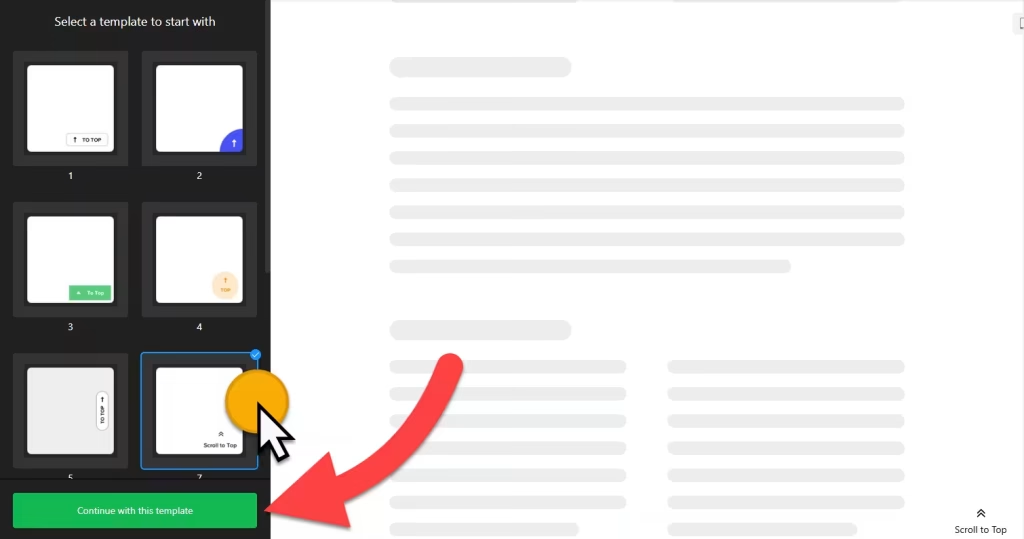
- Choose a template and click the “Continue with this template” button. (You can customize the template later)
- Choose an icon and layout.
- Set widget position.
- You can further set display settings, scrolling position, and speed and customize the scroll to the top widget with custom CSS and JavaScript.
- Once you’ve completed the design of your Back to Top Button, it’s time to add it to your website. Simply click the ‘Add to website for free‘ button and follow the sign-up process on the next page to save your widget.
- Get the embed code and use it on your website.
HTML Back to Top Widget’s embed code
Paste the embed code on your website’s template, theme, or HTML source code editor on pages where you want to display the back-to-top button. It’s most suitable to embed the back-to-top button HTML code just before the closing body tag of your website, blog, online store, or landing page.
More website tools
- Accessibility widget
A toolbar with reading and display options - Website Translator widget
A language switcher for your site - Cookie Consent widget
A cookie notice and consent banner - Age Verification widget
An age check before entry - Search widget
A search bar for your website - QR Code widget
QR codes that link to any page